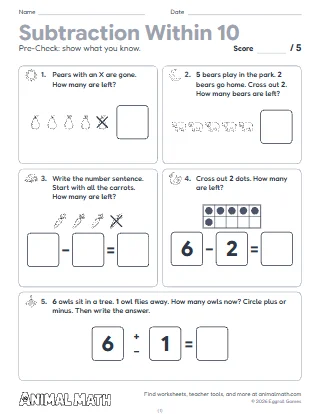
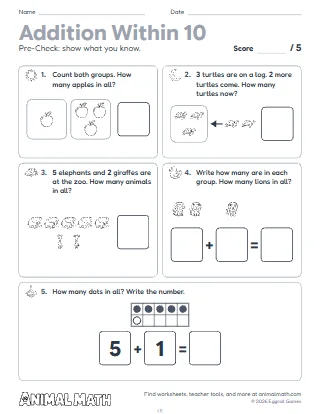
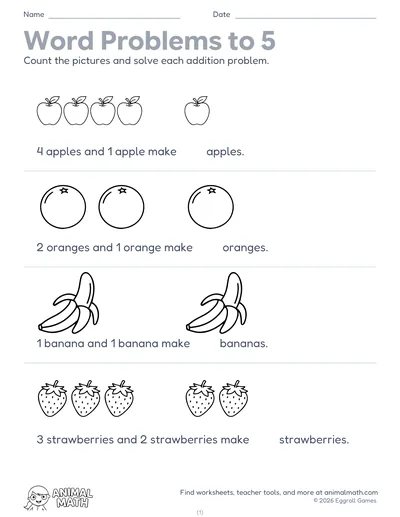
Six pages of taking away, within 5 first and then within 10. On page 1 each row says how many to cross out; children cross out that many pictures and write how many are left. Page 2 puts 6 to 9 pictures in rows of five beside a sentence like 7 − 2 = [ ]: cross out 2, then write the answer. Page 3 does the same in a ten frame, starting from any number up to 10, not only from a full frame. On page 4 the pictures are already crossed out and children write the whole sentence: how many there were, how many are crossed out, how many are left. Page 5 has four short stories to read aloud (birds fly off the wires, frogs hop off the logs, apples fall from a tree, ducks get out of the pond): children cross out the ones that go and write the sentence. On page 6 there are no pictures: children draw circles for the story, cross some out and write the sentence. Pages 1, 2, 4 and 6 start with a worked example.
Act out the take-away first: line up 5 children or 5 counters, send 2 away and ask how many are left. Model crossing out from the end of the row so the ones left are easy to count. Read each story on pages 5 and 6 aloud twice, and have children say the sentence back: "7 take away 4 is 3." One row takes away nothing and one takes away all: talk about what is left each time.
Put 5 to 10 crackers or toys on the table, take some away and ask how many are left. Tell little stories together: "6 ducks were in the bath. 2 jumped out. How many are still in?" Let your child draw circles to solve, then say the number sentence out loud.
This pack supports the following Common Core State Standards for Mathematics:
© Copyright 2010. National Governors Association Center for Best Practices and Council of Chief State School Officers. All rights reserved.
Taking away with pictures, within 5 first and then within 10. Students cross out pictures and ten frame dots, write how many are left, write whole subtraction sentences and solve take-away stories by crossing out or drawing.
Tell us what to make next, or build your own with a worksheet maker.
This worksheet is free to download, print, copy, and hand out in your classroom or at home. You do not need to create an account, and there are no watermarks on the PDF.